Features
Dashboard
Your central hub for monitoring customer activity, email performance, and upcoming reminders.
Overview
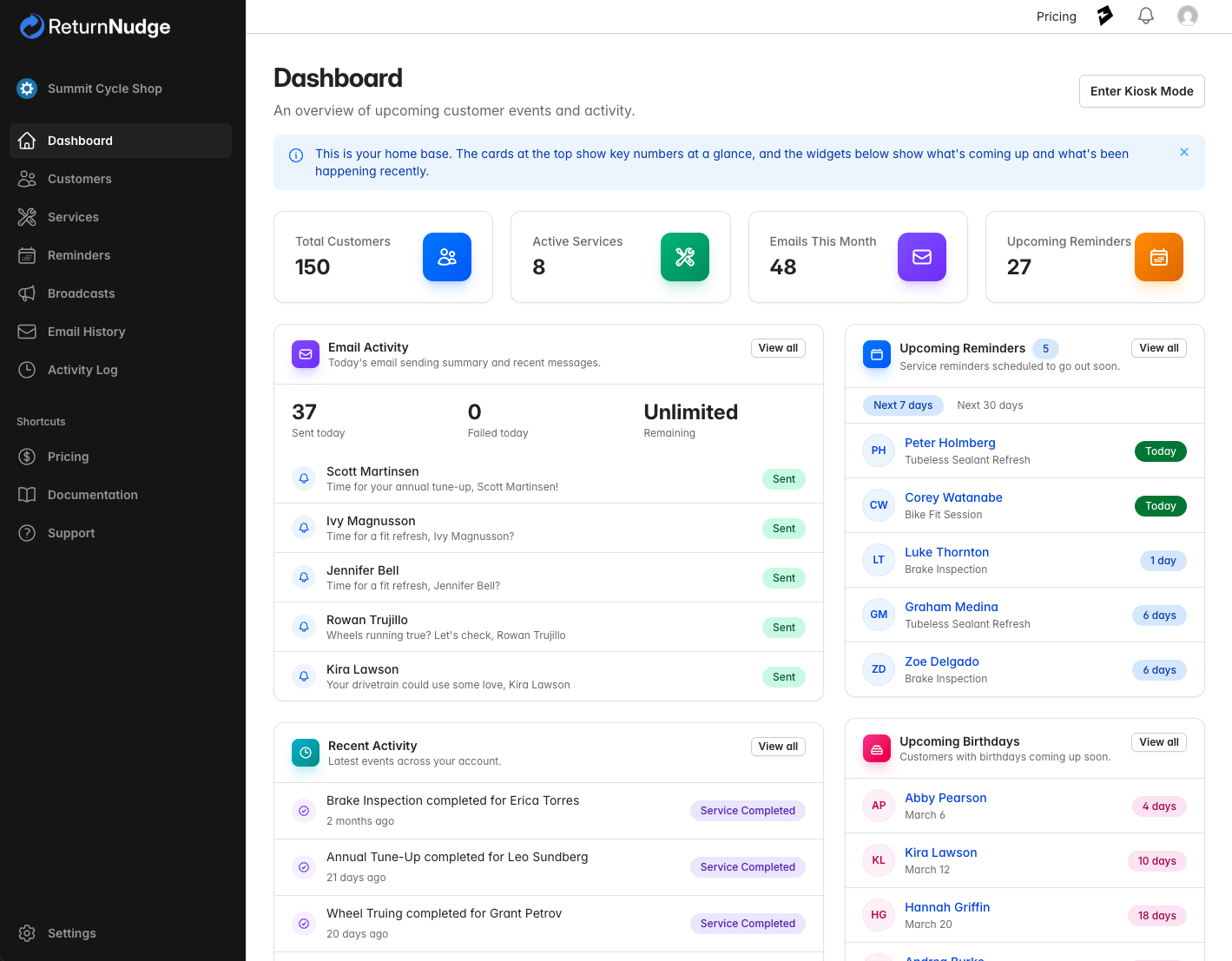
The Dashboard is the first thing you see when you log in to ReturnNudge. It provides a quick snapshot of your customer retention activity, including recent emails sent, upcoming reminders, and key performance metrics.
Stat Cards
At the top of the dashboard, four clickable stat cards give you an at-a-glance summary. Click any card to jump to that section:
- Total Customers — Your current customer count. Click to go to the customer list.
- Active Services — The number of services you've configured. Click to manage services.
- Emails This Month — Total emails sent this month. Click to view email history.
- Upcoming Reminders — Reminders scheduled to go out soon. Click to view all reminders.
Email Activity
Shows your email sending activity for today, including:
- Emails sent today and any failed deliveries
- Remaining daily email quota
- A list of recent emails with type indicators (reminder, birthday, or broadcast)
Click View All to see the full Email History.
Activity Feed
A timeline of recent system activity — new customers added, emails sent, services updated, and more. Click View All to see the full Activity Log.
Upcoming Reminders
Displays customers with upcoming service reminders. You can toggle between a 7-day and 30-day view. Click any customer name to go to their detail page.
Upcoming Birthdays
Shows customers with birthdays coming up soon, along with how many days until their birthday. Click any customer name to view their profile.
Plan Usage
The dashboard shows your current subscription plan usage at a glance:
| Metric | Description |
|---|---|
| Customers | Current count vs. plan limit |
| Services | Current count vs. plan limit |
| Daily Emails | Sent today vs. daily sending limit |
If any limit is approaching or exceeded, the dashboard displays a prominent alert with a link to upgrade your plan.
Tip: Check your dashboard regularly to stay on top of your customer retention efforts and ensure your emails are being delivered successfully.